 So, Lexi asked me to guest blog for her probably a month ago or so. I agreed and thought I'd get on it right away, right? Righhhhhht. Lexi was probably starting to think Chloe would be one before I finally got on the stick and got this finished up. But I'm happy to say I'm finally typing this up.
For starters, let me explain what Lexi "assigned" me to write about. She asked me to give a brief overview of my journey in photography--a little about where I started and a little about where I am now, perhaps give a few tips, and share a little about what equipment I use. I hope what I write here will make at least the smallest amount of sense. It seems I can really ramble when on the subject of photography. It's kind of hard to keep it basic sometimes and not get too far all over the place. AND...before I really get going here, please keep in mind--I do not in any way, shape, or form consider myself an expert. I still feel like I have so much to learn and am learning something new every time I pull out my camera. This is just a little bit about what I've learned SO FAR. Because it truly is a journey after all...
1. IN THE BEGINNING
So, I have always loved pictures. Always. I was the girl in high school who packed a camera with me wherever and whenever I could. I asked for cameras for my birthdays (and let's not talk about the one I received for my 18th birthday and dropped it in a creek and watched the water sweep it away just two weeks later) and took pictures of every possible thing I could. My bedroom wall was plastered with snapshots, much to my mother's dismay since it ruined the wall. So, moral of the story--the obsession with pictures has been there as long as I can remember.
And then 4 1/2 years ago, I gave birth to my oldest son and the obsession really went wild. I had a regular old point and shoot digital camera and took over 1,000 pictures during his first year. And if there was one thing I was dying to have during that time, it was a camera that took a picture without a shutter delay (like you get with standard point and shoot cameras). We all know how quickly a baby smile can fade and I felt like even though I was taking pictures of him almost ever day, I was missing the best ones because a lot of them were over as quickly as they had begun--and that dang delay on the camera.
So, I would say that was my number one reason in wanting a new camera. I was also an avid scrapbooker as well and wished for higher quality pictures for my pages. But my reason in buying/wanting a new camera was not to become a "photographer" from a career perspective, but to simply take better pictures of my son.
I formulated a plan to get my camera. First, my husband needed to graduate from law school so I could justify a purchase like that. :) And then my plan got underway. I had saved my pennies from various items I sold on ebay or custom scrapbook/card projects I had done for others to make money. After a few months, I finally had enough to purchase my first digital SLR camera. So, in July of 2006, I bought a Nikon D50 and am still shooting with it today. Three years going strong, baby!
2. THE EVOLUTION
So now that you made it through the boring story of how and why I even got my camera in the first place, here's the fun part. A little bit about the pictures...how they looked then and how they look now. The following three pictures were taken the day after I bought my camera. I was in love with the thing and the fact that it could take about 10 pictures in the time my other camera would have taken 1. But aside from the fact that the boy in the pictures is very, very cute, the pictures are pretty blah and are lacking anything spectacular. They aren't sharp and clear and don't have much in the way of composition either.
 But he was stinkin' cute, though, that's for sure.
 Here, I clearly wasn't concerned about what time of day I was taking the picture. Noonday sun...not the best.
 I took these three pictures above all in "auto mode" with the standard kit lens that came with my camera. My camera came with an 18-55mm f/3.5-5.6 lens, definitely nothing to scream about, but at this point, I didn't care much at all. I was just happy as could be snapping away in auto mode.
 And then, the following Christmas (about six months after I got my camera), my husband bought me a new lens as a gift. I got the 50mm f/1.8 lens and started playing around with it more. I totally credit this lens for being the reason I started to get brave enough to explore the in's and out's of exposure (without getting into a lengthy discussion on exposure--exposure is the combination of light+aperture+shutter+ISO speed). The picture above was taken with my 50mm lens. The nice blurred background you see is referred to as "depth of field". Lower aperture lenses (meaning a low f/ number) allow you a lot of ability to switch things up to get a more dramatic depth of field in pictures. This is what I really started loving. My pictures were more sharp, more crisp, just had a little more "punch" to them. This was the point where I started switching my camera from auto mode to aperture priority mode more often (not completely manual, but does allow you to have control over the depth of field).
So I played around with this lens a lot. I read some books, did some more playing, wash, rinse, repeat...I was really starting to understand aperture at least. So a few more months went by and then my sister got engaged and had a wedding date for August of that year. She called one day a month or two before the wedding and asked if I would help out with pictures. I agreed. Yikes! OK, so then I really had to get reading and practicing even more (I'll give you a few book suggestions at the end of my post). Shooting a wedding was totally frightening and it was even just my sister! (I don't plan on offering my services as a wedding photographer any time soon!) But it was SUCH a great learning experience for me. And after all was said and done, I ended up being fairly pleased with a fair amount of the shots. Here are a few of my favorites of her wedding. I shot the entire wedding with my camera in aperture priority mode with the 50mm lens.


 And then...I flew home from her wedding in Idaho and gave birth to my second son about five weeks later. When I had him, things REALLY went nuts-o. :) I didn't want to miss a thing and I thought I took a lot of pictures of my oldest as a baby, but it was nothing compared to this. He was my guinea pig and I tried all sorts of things with a new baby to photograph. After a few months more or practice, I felt like I finally "really" got it. "It" being the entire concept of exposure and how and why I would want to completely manually control my settings. After this time, I started using full manual mode most of the time (which believe me, when I got my camera, I NEVER EVER thought I would do, it confused me SO much!). In full manual, you choose your own aperture, your own shutter speed, and your own ISO. I also manually set my white balance most of the time as well.
 3. EDITING
So, after getting my camera figured out, I really wanted to work on my editing skills. After seeing many a photographer's amazing pictures, I knew mine still lacked something--big time. They just didn't have the punch I was looking for and at this point, I realized that editing is nearly as important as the picture itself. And I won't go into a big explanation of how to edit a picture (since the possibilities there are truly endless), but I will mention a few things just as an FYI.
I edit nearly all of my pictures (ones that you would be seeing, anyways) to at least some degree. If it's just snapshot type pictures on my family blog, there isn't a whole lot of editing involved, but if I am taking pictures for a client, I spend a lot more time on them getting them to look "just so". I use Adobe Photoshop Elements 6.0. It is considered to be a "watered down" version of Photoshop. I have yet to find much that I need that Elements doesn't have. And it is waaaaay cheaper than Photoshop. I have been very happy with it. I have played around with actions here and there. I bought a set of Photoshop actions about a year and a half ago and used them for a while, but didn't really like them all that much in the end, and found a method of my own that I really liked using. So essentially, I edit each picture individually. I tend to stick to editing that just enhances the picture and doesn't change the look of it very much. I don't care too much for textures and different tints and finishes. Not that they are bad by any means, it's just not really my personal style. I love color and try my hardest to just enhance and bring out vivid colors that were already in the picture. I often even have a hard time liking black & whites if I've seen what the color version looks like. But again, that is just me personally...
Here are a couple examples of the straight out of the camera shot (sooc) vs. the edited version. I generally do a little cropping, color adjusting, and sharpening and that's about it. Not a lot really, but enough to make them pop a little bit.

 4. A FEW FINAL TIDBITS & A LITTLE ADVICE
I am often asked what equipment I use, so I'm just going to list it all right here in one place...
Nikon D50 dSLR camera (been shooting with it for 3 years, it's been a great camera)
Nikkor 50mm f/1.8 lens
Nikkon 85mm f/1.8 lens (my newest lens and my current favorite, the 50mm falls in 2nd place)
Nikkor 18-55mm f/3.5-5.6 lens (kit lens that came with my camera, not great quality, I haven't had it on my camera for over a year)
Nikkor 70-300 f/4-5.6 lens (don't use it very often, but it is nice when I need the distance)
Nikon SB600 speedlight
And now for a few tips and a little advice. Again...I am not an expert by ANY stretch of the imagination, but these are just a few things I've picked up a long the way.
1. Outdoor pictures are best in the morning or early evening. I personally tend to like early evening light the best. It's smooth and flattering. Midday sun is no good.
2. Flash is yucky. Built in flash on cameras is terrible. Nothing can ruin skin tones and flatten a picture like flash. If I do have to use flash, I use my external flash unit (speedlight), which I still don't love, but it is better than the built in flash. I try at all costs to avoid using flash and try to manipulate the natural light the best I can in order to keep the flash off.
3. For indoor pictures, lighting at midday from a north or south facing window (the bigger the better) is very very nice. For all of my newborn shoots, I use all natural lighting and set up next to a nice big window in my house.
4. A few books I have loved reading and re-reading are "The Digital Photography Book" & "The Digital Photography Book 2" by Scott Kelby and "Understanding Exposure" by Bryan Peterson. Also, any of Scott Kelby's Photoshop books are EXCELLENT.
5. Keep in mind--If I can do it, you can do it. Seriously, folks! Pressing a button was all I knew about photography three years ago. It is very intimidating to buy a fancy camera and all that jazz, but if you start breaking things down one step at a time, you really can learn it. So if you have an interest or have started learning and are frustrated, don't give up!
6. All tips & tricks and in's & outs aside, remember that because YOU are capturing your family's memories, YOU are the world's best photographer. There could never be a replacement for you. I am a firm believer in taking pictures of every day life, the here & now, so our kids can look back and see what real life was like for them--not just yearly portraits. So don't hold back--keep on taking pictures--regardless of what your photography skills are like. 100 years from now when your great grandkids have pictures of their grandparents (your kids) to look at, they will thank you...and they will think you were the best photographer on the planet!
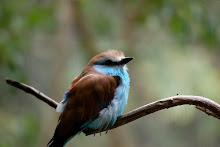
So this ends the longest blog post in history, and I'm just hoping I didn't lose you 50 paragraphs back there. Feel free to ask me any questions you may have by leaving a comment (I'm always up for photography talk). Also, feel free to check out my photo blog where I post my latest work. You can view it HERE. And I'll leave you with a few of my current favorite photos (all but one of them are of my kids, so how can they not be favs, right?):





10 comments:
The post I have been waiting for! Thank you so much for taking the time to give us a lesson. Do you have any tips for people with "plain Jane" cameras? I know I can go in manual mode, but how do I adjust it to get a blurred background?
Excellent Post!! So interesting and inspirational!! Thanks for sharing your amazing talent with us!
Cool! That was interesting and enlightening. Thanks for making Becky write that!
Good question, Aidan! I am not all that familiar with point and shoot cameras, since I have done all of my learning on my SLR, but I do know that most point and shoots have a full blown auto setting, but then they also have some artistic auto settings you can use. The ones that would give you a little bit more blur are the portrait setting or the macro setting. The portrait setting usually has the silhouette of a person's head and the macro setting usually has the silhouette of a flower on it. Both of those give a little bit more depth of field and you don't have to get into any of the totally manual settings. Hope that helps!
Thanks Becky. I got a Canon Rebel last year and have yet to conquer it. It turns out a mom in my moms group who is here for a few months while her husband does some art thing downtown is a photographer (even has a degree in it!) so i am hoping to get in a play date at her house to learn some of those tricks. I really love the blurry backgrounds, too...The Pioneer Woman calls it Bokah. I am going to check out your photo site and see if it is in my budget to have you take family pictures when we visit this summer. I love Jeni's in the NO graveyard.
Becky- I love that picture of Tyler jumping in the rain puddle! It's so neat how you caught him at his full height!
Jessica- I am not entirely sure, but I think the graveyard photo's were taken by our other friend, Aimee Roberts. You can find her blog on my link list and she also has a link to her photography blog from her personal blog. Both of these gals do great work so you really can't go wrong with either one!
Jessica, yeah the "proper" term is bokeh. :) So you definitely know the lingo. Way to go! And I think Lexi's right--I'm pretty sure Jeni's graveyard shoot was by Aimee Roberts.
Well, that's okay...Aimee, Becky, I think pictures would be neat...Becky, did you take Erika R. pictures of her family? She just posted on to facebook and it is great. I only think this b/c I think she said Becky in her title.
Bokeh is the only word I am sure of...how to accomplish it only randomly occurs on accident. :)
Yes, Jessica...that was me. I just photographed Erika's family in Baton Rouge on Saturday. It was so much fun! And she found me a couple months back from the link Lexi put on her sidebar.
So...Lexi, I've been meaning to tell you, thanks for the free advertising. :) I've always appreciated your support (I hope you know that!)!
Oh, you are welcome! :-)
Post a Comment